
Alerts
The Alerts page: what SiteCMD alerts on, where each alert comes from, and how to work the unread list.
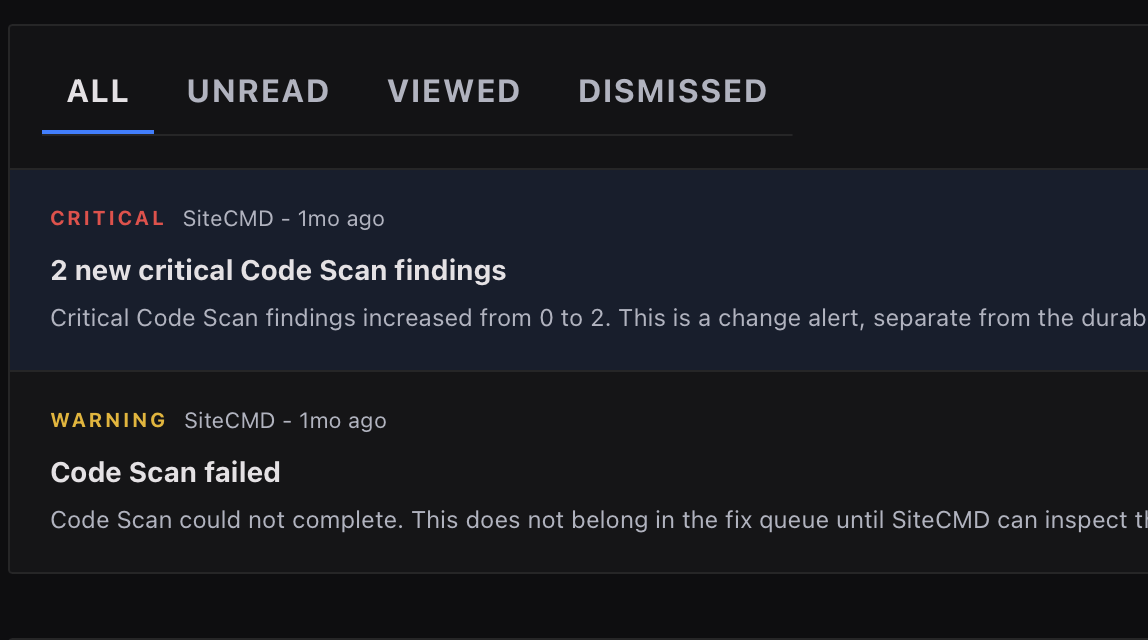
Issues are things wrong with your site. Alerts are things that just happened to it. The Alerts page (in the sidebar under Manage) is the inbox for the second kind: events that deserve your attention now, before or besides becoming findings.
What SiteCMD alerts on
Two families of alerts land here.
Native alerts come from SiteCMD's own engines, no integration required:
| Alert | Trigger | When it fires |
|---|---|---|
| Web Scans | Diagnostic drops and new criticals | After each scan |
| Code Scans | New critical code findings | After each scan |
| Scan Health | A scan SiteCMD couldn't complete | As it happens |
| Dependency Updates | Package vulnerabilities and SSL expiry | Hourly + manual checks |
Routine movement stays in Issues; alerts fire for the changes worth interrupting you over.
Integration alerts come from connected services, each polled on its own cadence:
| Source | Trigger | Cadence |
|---|---|---|
| UptimeRobot | A monitor reports the site down | Every 60s |
| Cloudflare | Blocked requests classified as threats | Every 5m |
| Plausible / GA4 | Meaningful traffic spikes or drops | Every 5m |
| Search Console | A query loses enough impressions to matter | Hourly |
| GitHub | A failed GitHub Actions run on the linked repo | Hourly + manual |
Integrations you haven't connected simply don't produce alerts; the page shows you which sources are live.
Working the list
Alerts work like an inbox:
- Unread count. New alerts show a badge in the sidebar until you've seen them.
- Open an alert to get its dossier: what happened, the evidence, and (for scan regressions) which change is likely to blame.
- Mark viewed / mark unread / mark all read to manage the backlog.
- Dismiss moves an alert you've dealt with under the Dismissed tab.
- Filter tabs narrow the list to All, Unread, Viewed, or Dismissed.
Dismissing an alert never touches your findings: if a regression alert pointed at a real issue, the issue is still on the Issues page with its own lifecycle.
Alerts vs. Issues vs. Activity
- Alerts are interruptions: things that changed and may need a response now.
- Issues are the work list: findings with severity, status, and a score impact.
- Activity is the history: every scan, deploy, and event on one timeline.
The same underlying event can appear in more than one place. A failed scan raises an alert and appears in Activity; a new critical raises an alert and creates an issue.
Sending alerts outside SiteCMD
Two ways an alert can reach a place that isn't this app:
- Local webhooks. Settings → Automation → Webhooks sends selected scan events - Scan finished, Score dropped, Critical issue found - from your machine to team tools or lightweight automation: a Slack or Discord webhook URL, or any endpoint of your own. Each webhook takes an optional signing secret so the receiver can verify the sender, and a Test button confirms delivery before you rely on it.
- Connected-site alert policies. A connected site can deliver alert email and signed webhooks from the hosted service, so delivery keeps working while your computer is off.
Everything else stays local
Alerts are computed on your machine from your scans and your connected integrations' data, and stored in the local database. Unless you configure a webhook or a connected-site policy, there's no notification service in the loop. See Privacy & data.