
Search Console and Bing Webmaster
Connect Google Search Console and Bing Webmaster Tools to see how your site performs in search and which issues are tanking visibility.
Search consoles are the most underused integration. Most teams check Search Console once a month, then ignore it until a ranking drops. SiteCMD wires it into your scan output so a thin meta description or a broken canonical tag gets paired with the actual impact: clicks lost, impressions dropped, queries you're not ranking for anymore.
You don't have to use both. Connect whichever search consoles you actually look at.
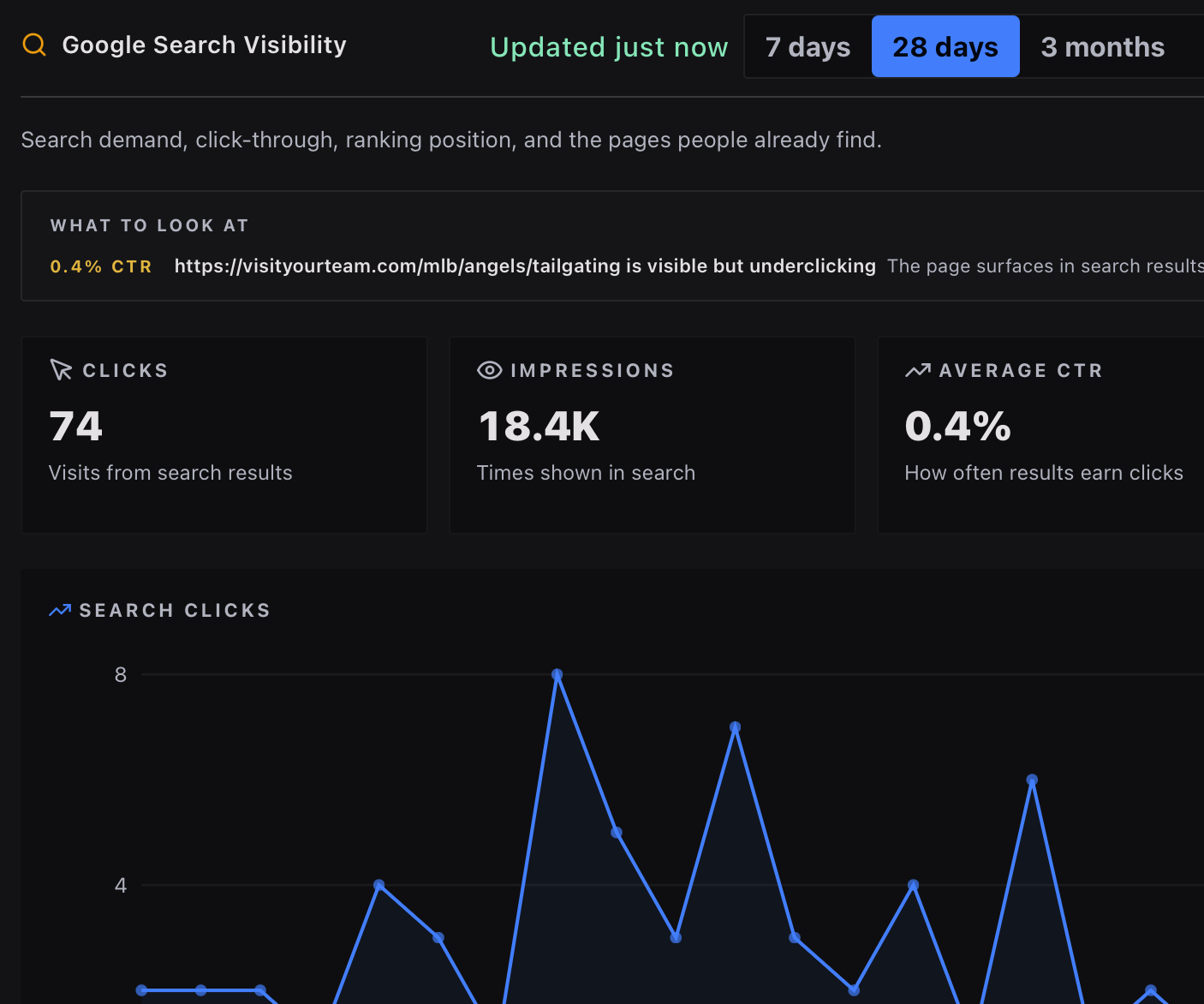
Google Search Console
Search Console connects via OAuth, using the same Google sign-in as Google Analytics. One sign-in can connect both: the picker offers GA4 and Search Console together, so you approve once and choose a property for each.
Setup
- Integrations → Google Search Console, click Connect.
- Pick the Google account that has access to the property you want to use.
- Approve the Search Console read-only scope.
- Pick the property (verified site) for this project. The property must match the URL you're scanning, or be a parent of it (e.g.
sc-domain:example.comcovershttps://example.com/anything). - Click Save.
What it pulls
- 30-day totals: clicks, impressions, CTR, average position
- Top 5 queries you're showing up for
- Top 5 pages by impressions
- Day-by-day stats so SiteCMD can flag drops
Cross-source correlation
This is where Search Console earns its keep. When SiteCMD detects an indexability issue in a live-site scan (e.g. a noindex meta tag, a 404 in your sitemap, a broken canonical), and Search Console shows a corresponding drop in impressions or clicks for the affected URLs, the dashboard links them directly. You see one finding with both signals attached: "this canonical is wrong, and Search Console shows impressions for /products/ down 38% in the same window."
Cross-source correlation is part of the complete free local workbench.
Scope and permissions
The OAuth scope is read-only. SiteCMD can't submit URLs for indexing, can't change site settings, can't delete properties, and can't read anything outside Search Console.
Bing Webmaster Tools
Bing connects via API key. Bing's API is similar to Google's but the dashboard for getting a key is hidden one or two layers deeper.
Setup
- Sign in to Bing Webmaster Tools.
- Click the gear icon in the top right, then Settings.
- Open API Access, then API Key.
- Copy the API key.
- In SiteCMD, Integrations → Bing Webmaster, click Connect.
- Paste the API key.
- Enter the site URL for this project. It must match a site you've verified in Bing Webmaster Tools (typically the full origin, e.g.
https://example.com). - Click Save.
What it pulls
- 30-day totals: clicks, impressions, CTR, average position
- Top queries and top pages
Bing's data lags slightly behind real-time (typically 1-2 days). That's a property of the API, not SiteCMD.
Why connect both
Google and Bing don't share their indexes. A query that Google ranks you for might be invisible on Bing, and vice versa. If your audience leans even slightly toward Bing (more common in B2B, enterprise, and over-40 demographics than people assume), running with only Google data is misleading.
The Search & SEO view keeps them side by side. When you have GSC and Bing connected, each engine gets its own section, so a drop that only one index sees stands out instead of averaging away.
Where the data shows up
- Search & SEO view. Clicks, impressions, top queries, top pages, per engine. Search Console signals also reach the Dashboard.
- Events timeline. Significant ranking or visibility drops appear as events.
- Issues page. Indexability and SEO findings get correlated against search data.
Privacy
Search-console requests go from your machine to Google's APIs or Microsoft's APIs directly. They don't pass through SiteCMD servers. SiteCMD stores only what it needs for the dashboard: aggregate totals, top queries/pages, and day-level series. Individual user search behavior isn't accessed and isn't part of either API.